

NAS Enclosures
- Filter By Brand
- QNAP (1)
Browse NAS enclosures for secure, scalable network storage, ideal for home or business use, enabling centralized data access, sharing, and backup solutions.
NAS Enclosures We Offer
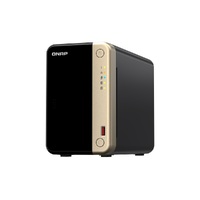
At Flash Trend, we offer a robust selection of NAS (Network Attached Storage) enclosures designed to help you build your own centralized storage solution. Whether you're setting up a home media server, small business backup system, or collaborative file-sharing platform, our NAS enclosures provide flexibility, scalability, and data protection.
Available in configurations from 2-bay to 8-bay and beyond, our NAS enclosures support RAID setups, remote access, and cross-platform compatibility, making them ideal for both personal and professional use.
NAS Enclosure Frequently Asked Questions
Here are answers to some of the most common questions we receive about NAS enclosures:
1. What Is a NAS Enclosure?
A NAS enclosure is a standalone storage device that connects to your network, allowing multiple users and devices to access files remotely. It houses one or more hard drives and includes its own operating system and management interface.
2. How Many Drives Can I Install in a NAS Enclosure?
NAS enclosures come in various configurations:
- 2-bay for basic setups
- 4-bay or more for advanced storage and RAID options
Choose based on your storage needs and desired redundancy.
3. What Type of Hard Drives Should I Use in a NAS?
Use NAS-rated 3.5" hard drives like WD Red, Seagate IronWolf, or Toshiba N300. These drives are optimized for 24/7 operation, vibration resistance, and RAID compatibility.
4. Can I Access My NAS Remotely?
Yes! Most NAS systems support remote access via mobile apps or web portals. You can stream media, manage files, and even back up devices from anywhere with an internet connection.
5. What Is RAID and Why Is It Important?
RAID (Redundant Array of Independent Disks) is a method of combining multiple drives for data redundancy, performance, or both. Common RAID levels include:
- RAID 1 (mirroring)
- RAID 5 (striping with parity)
- RAID 10 (mirroring + striping)
RAID helps protect against data loss in case of drive failure.
6. Do I Need Technical Knowledge to Set Up a NAS?
Not necessarily. Most modern NAS enclosures offer user-friendly setup wizards, intuitive dashboards, and automatic updates. However, understanding basic networking and storage concepts can help you get the most out of your system.
Contact Flash Trend
Need help choosing the right NAS enclosure for your setup? Fill out our email enquiry form, call us at 02 8959 8446, or email sales@flashtrend.com.au. We’ll help you build a reliable and scalable storage solution.