


NAS Accessories
- Filter By Brand
- Lenovo (1)
Find essential NAS accessories including cables, trays, and power adapters, designed to enhance, expand, and maintain your network storage setup.
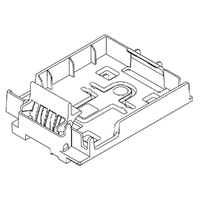
NAS Accessories We Offer
At Flash Trend, we provide a curated selection of NAS accessories to help you get the most out of your network-attached storage setup. Whether you're expanding capacity, improving connectivity, or enhancing cooling and security, our accessories are designed to support performance, reliability, and ease of use.
Our range includes drive trays, mounting kits, cooling fans, network cables, RAM upgrades, and power adapters, all compatible with popular NAS enclosures.
NAS Accessories Frequently Asked Questions
Here are answers to some of the most common questions we receive about NAS accessories:
1. What Accessories Do I Need for a NAS Setup?
Common accessories include:
- Drive trays or caddies for adding or replacing hard drives
- Ethernet cables for network connectivity
- Cooling fans for temperature control
- RAM upgrades for improved multitasking
Optional items include UPS units for power protection and mounting kits for rack installations.
2. Can I Upgrade the RAM in My NAS?
Yes, many NAS models support RAM upgrades to improve performance, especially for multitasking, virtualization, or running apps like Plex. Check your NAS model’s specifications for compatible RAM types and maximum capacity.
3. Do I Need Special Cables for My NAS?
Most NAS units use standard Cat5e or Cat6 Ethernet cables for network connectivity. For faster speeds, especially in multi-user environments, consider Cat6a or Cat7 cables and Gigabit or 10GbE switches.
4. How Do I Improve Cooling in My NAS?
You can:
- Add or replace internal fans
- Use external cooling pads or airflow setups
- Ensure proper ventilation in your NAS placement
Some enclosures also support fan speed control via their software interface.
5. Are Drive Trays Universal Across NAS Brands?
Not always. Drive trays are often brand- and model-specific, so it’s important to choose trays designed for your NAS enclosure. Universal trays exist but may not fit securely or support hot-swapping.
6. Can I Use a UPS with My NAS?
Yes, using a Uninterruptible Power Supply (UPS) helps protect your NAS from power outages and surges. Many NAS systems support USB or network UPS monitoring, allowing safe shutdown during power loss.
Contact Flash Trend
Need help selecting the right accessories for your NAS setup? Fill out our email enquiry form, call us at 02 8959 8446, or email sales@flashtrend.com.au. We’ll help you optimize your NAS for performance and reliability.